How to Collect Event Photos into Google Drive (No App Needed)
Create a simple photo upload link for wedding guests, conference attendees, or party goers. All photos go to your Google Drive.
The Problem
You're organizing an event — a wedding, conference, team outing, or birthday party. You want everyone's photos in one place.
Common solutions that don't work well:
- WhatsApp groups: compressed images, messy, hard to download all
- Google Photos shared albums: everyone needs a Google account
- Google Forms: uploaders need Google login, ugly interface
- Airdrop/Bluetooth: only works nearby, one-at-a-time
The Solution: A Simple Upload Link
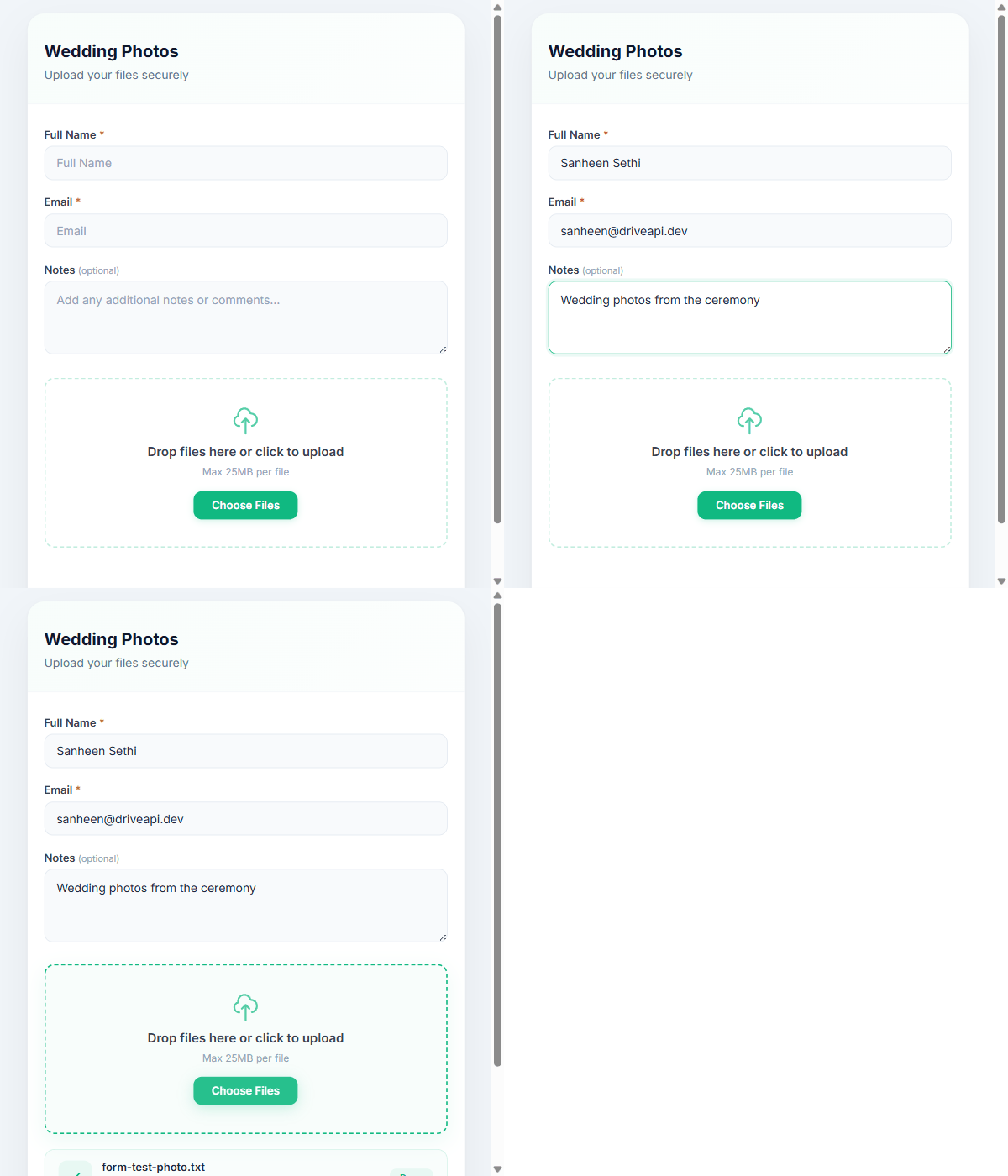
With DriveWidget, you create one upload link. Share it as a QR code at the event. Anyone can upload photos — no app, no login, no Google account needed.
Step-by-Step Setup
1. Create a Google Drive Folder
In your Google Drive, create a folder like "Wedding Photos - Raj & Priya 2026".
2. Connect to DriveWidget
- Sign up at drivewidget.com (free)
- Click New Connection
- Authorize Google Drive access
- Select your photos folder
3. Create an Upload Widget
Go to the widget settings:
- Title: "Share Your Photos!"
- Allowed types: Images only (JPG, PNG, HEIC)
- Max file size: 50MB (covers high-res photos)
- Form fields: None needed (or add optional "Your Name" field)
4. Get Your Upload Link
Copy the public upload page URL. It looks like:
https://api.drivewidget.com/u/wedding-photos
5. Create a QR Code
Use any free QR code generator to create a code from your upload link. Print it and place at tables, entrance, or photo booth.
What Attendees See
- Scan QR code → opens upload page in browser
- Tap "Upload" or drag photos
- See progress bar → "Uploaded to Google Drive!"
- Done — no account, no app, no login
After the Event
All photos are in your Google Drive folder. You can:
- Share the Drive folder with attendees to view/download
- Download all at once as a ZIP
- Organize into subfolders by date
Pro Tips
- Enable auto-folder by date to organize photos by day (multi-day events)
- Enable email notifications to see uploads in real-time
- Set up a webhook to trigger a Slack notification when photos come in
Try It Free
This entire setup works on DriveWidget's free plan. Create your event upload link now.
Ready to collect files?
Start using DriveWidget for free. No credit card required.